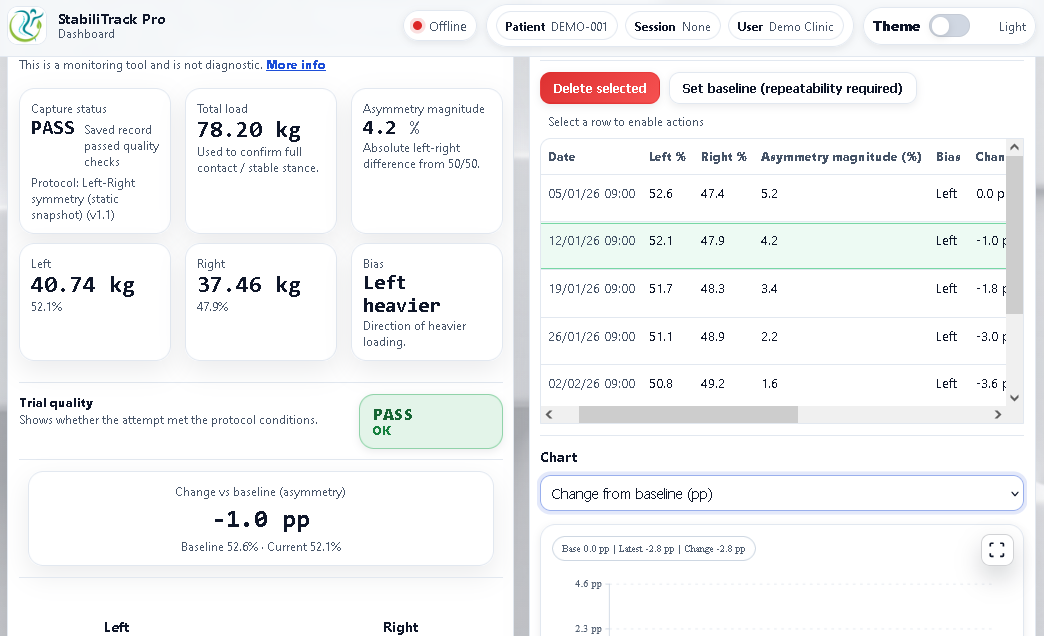
From assessment to reasoning
Connect objective rehabilitation evidence to the clinical question
Rehabilitation decisions are rarely based on one number. StabiliTrack Pro provides objective standing measurements, preserves assessment conditions and gives the clinician a structured place to record why the assessment was performed, what it meant clinically and what happens next.
1. Define the rehabilitation focus
Keep the patient goal and clinical objective in view
Create an optional Rehabilitation Focus so measurements, observations and reassessment records can be retrieved around the rehabilitation problem being addressed.
2. Ask the assessment question
Record what the clinician is trying to find out
Optionally link the assessment to a specific clinical question, keeping the reason for measurement visible when the result is reviewed later.
3. Capture objective evidence
Measure change under repeatable standing conditions
Capture weight-bearing distribution, controlled weight transfer and standing-stability evidence with protocol, setup, quality and provenance retained alongside the result.
4. Add clinical meaning
Keep interpretation clinician-authored
Add functional observations, clinical interpretation and actions without the software turning measured change into an automated judgement about improvement, diagnosis or treatment.
5. Reassess longitudinally
Review what changed and what the clinician did next
Use the Focus Review, historical session records and reports to follow objective evidence, clinician reasoning and planned reassessment across the rehabilitation pathway.
Clinical reasoning in context
Objective evidence stays connected to the clinician’s reasoning
StabiliTrack Pro separates system-derived measurement from clinician-authored meaning. A result can be linked to the Rehabilitation Focus and Assessment Question, then reviewed alongside functional observations, interpretation, clinical action and the planned next assessment.
Practitioner and patient-friendly reports remain available, while the longitudinal Focus Review provides a problem-oriented view of how evidence and clinical reasoning developed across sessions.
Rehabilitation Review
Evidence + clinician reasoning
Weight-bearing distribution
Objective evidence
Controlled weight transfer
Within-person comparison
Standing stability
Objective evidence
Clinical interpretation
Clinician-authored
Designed to support practitioner-led rehabilitation assessment, problem-oriented review, longitudinal documentation and patient communication.
Platform overview
See assessment, reasoning and reassessment in one workflow
The workflow is designed for real rehabilitation appointments: select the patient, define context where useful, capture objective evidence, add clinician reasoning and return to the same problem over time.
Rehabilitation workflow
Built around the rehabilitation question, not isolated readings
The clinical-context layer is optional, so a clinician can still run a straightforward assessment without extra documentation. When more context is useful, the same result can sit within a Rehabilitation Focus, Assessment Question and longitudinal reasoning chain.
1
Select patient
Select the patient and, where useful, start a session for the current rehabilitation encounter.
2
Set the clinical context
Use a Rehabilitation Focus and Assessment Question when they add value, or proceed directly to measurement when they do not.
3
Capture objective evidence
Run the relevant standing assessment under a defined protocol and save the objective result, quality and setup context.
4
Record clinical reasoning
Add observations, interpretation, clinical action and the next reassessment plan while keeping these clearly clinician-authored.
5
Review and reassess
Compare with the patient’s own previous measurements, review the Focus timeline and generate reports where needed.
Assessment set
Standing assessments for neurological physiotherapy and lower-limb rehabilitation
The assessment set focuses on controlled standing tasks commonly relevant to rehabilitation. Results are interpreted within the patient’s presentation, functional assessment and wider clinical picture rather than against automated diagnostic or normative labels.
Anterior-posterior weight-bearing distribution
Measures how standing load is distributed anteriorly and posteriorly under a defined setup.
Weight-bearing distribution in standing
Measures left-right loading and supports within-person review of how distribution changes over time.
Controlled weight transfer in standing
Measures controlled transfer between sides during a repeatable standing task, with setup and support context retained.
Standing stability
Captures centre-of-pressure movement measures during quiet standing for within-person reassessment.
Standing stability — eyes closed
Provides a repeatable eyes-closed condition for comparison with the patient’s own comparable standing-stability records.
One-leg stability
Records left and right one-leg assessments separately when this task is clinically appropriate for the patient.
Guided rehabilitation feedback
Supports clinician-guided load-control practice while keeping exercise feedback records separate from assessment baselines.
Integrated hardware + clinical software
Portable measurement hardware supporting a broader rehabilitation record
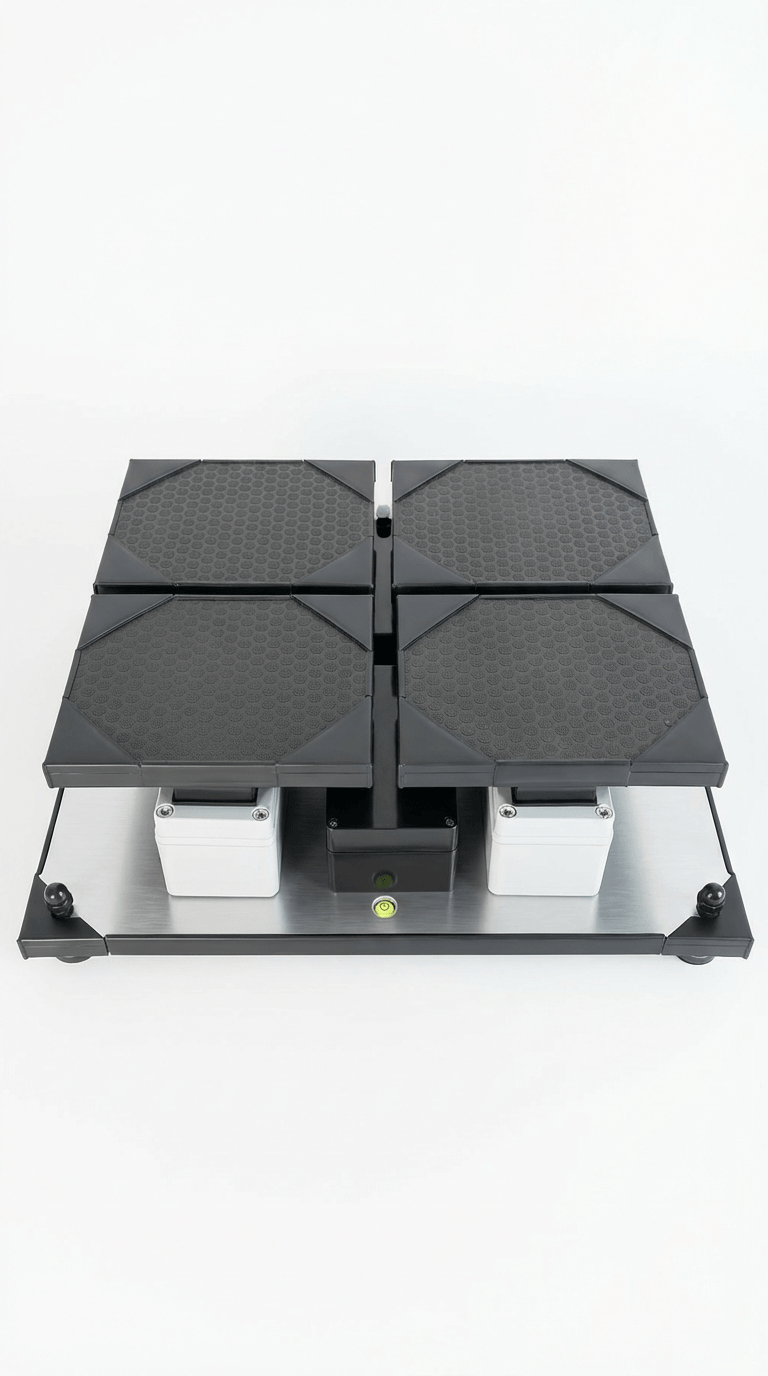
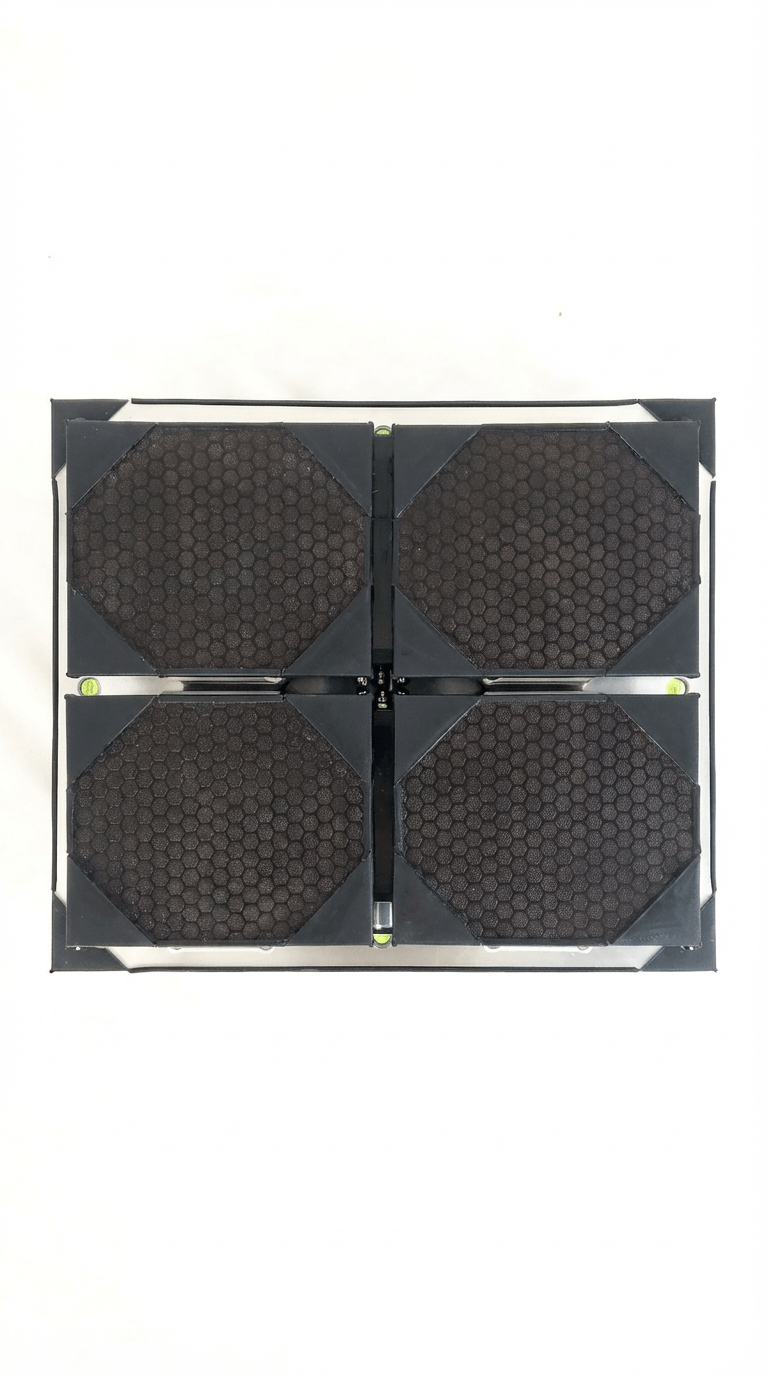
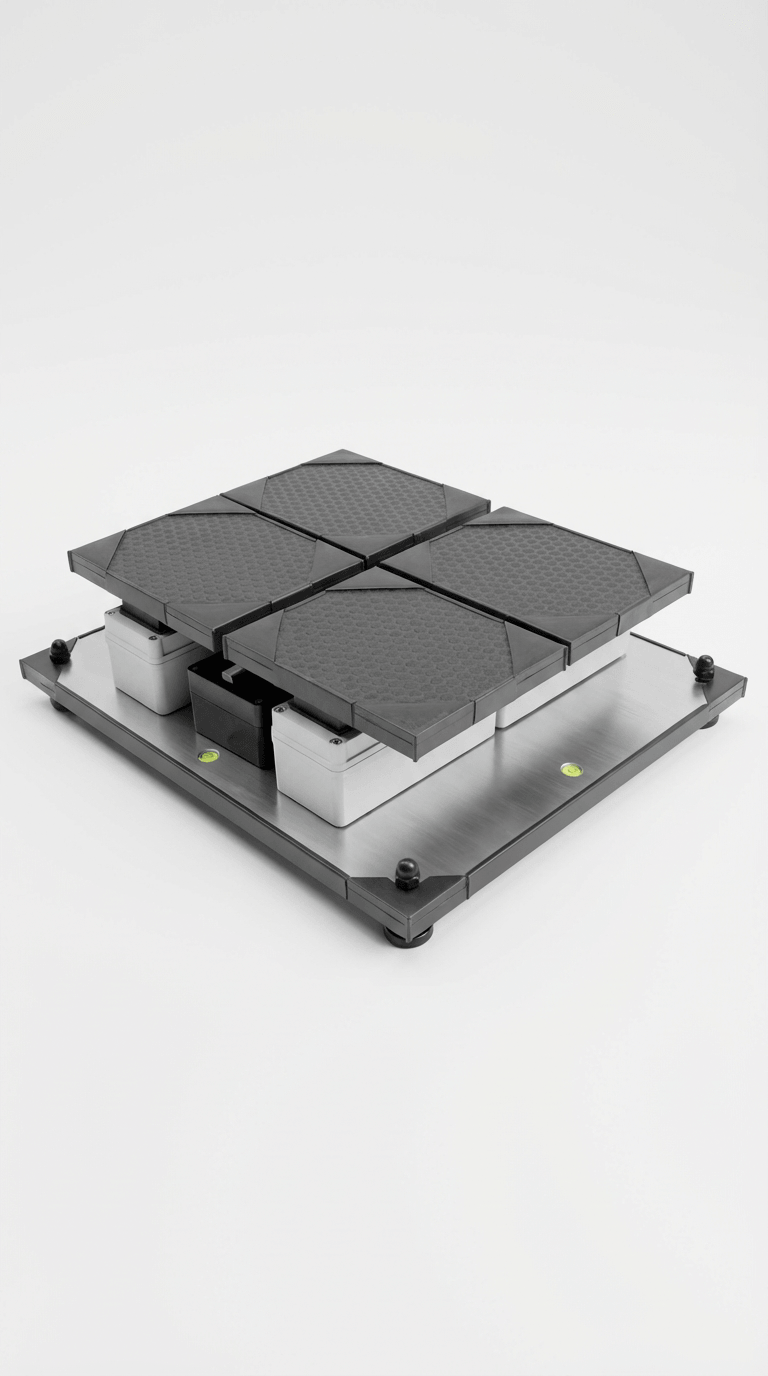
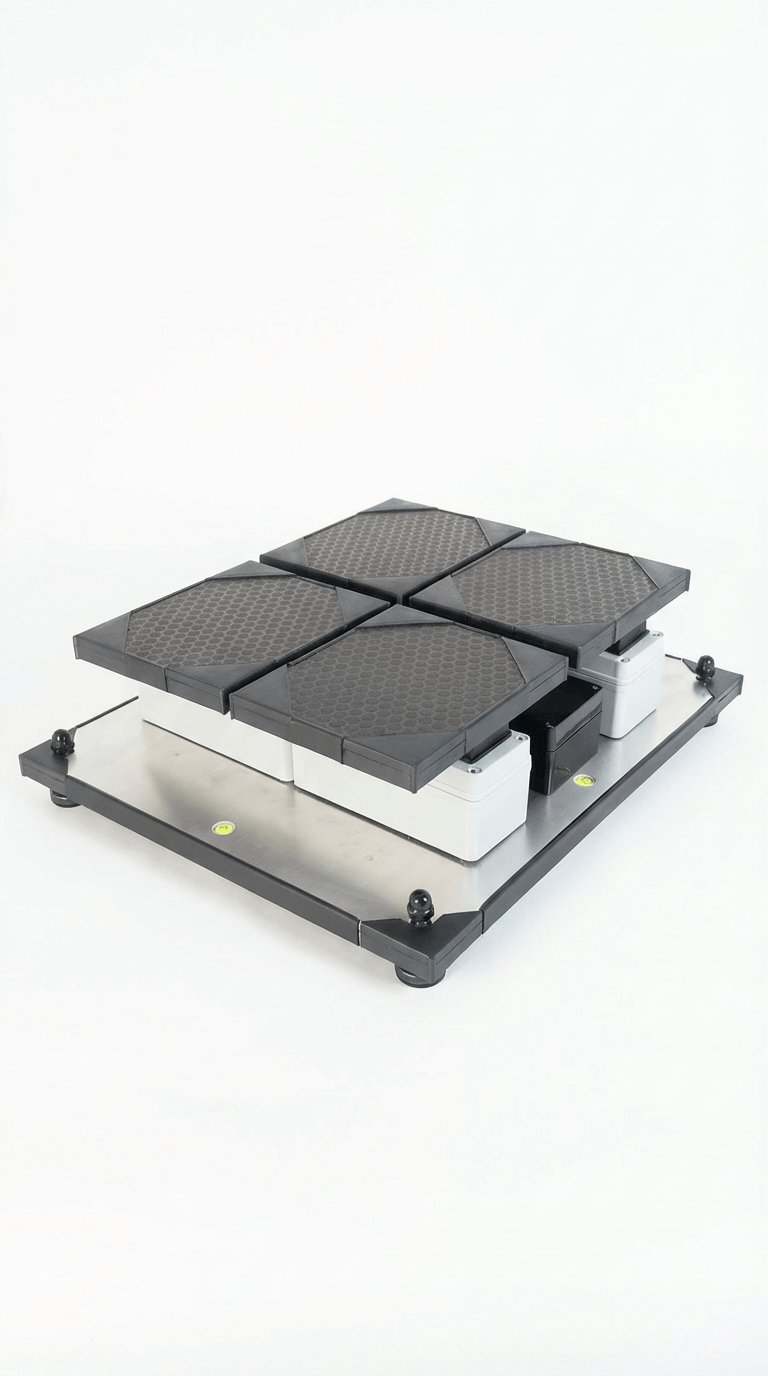
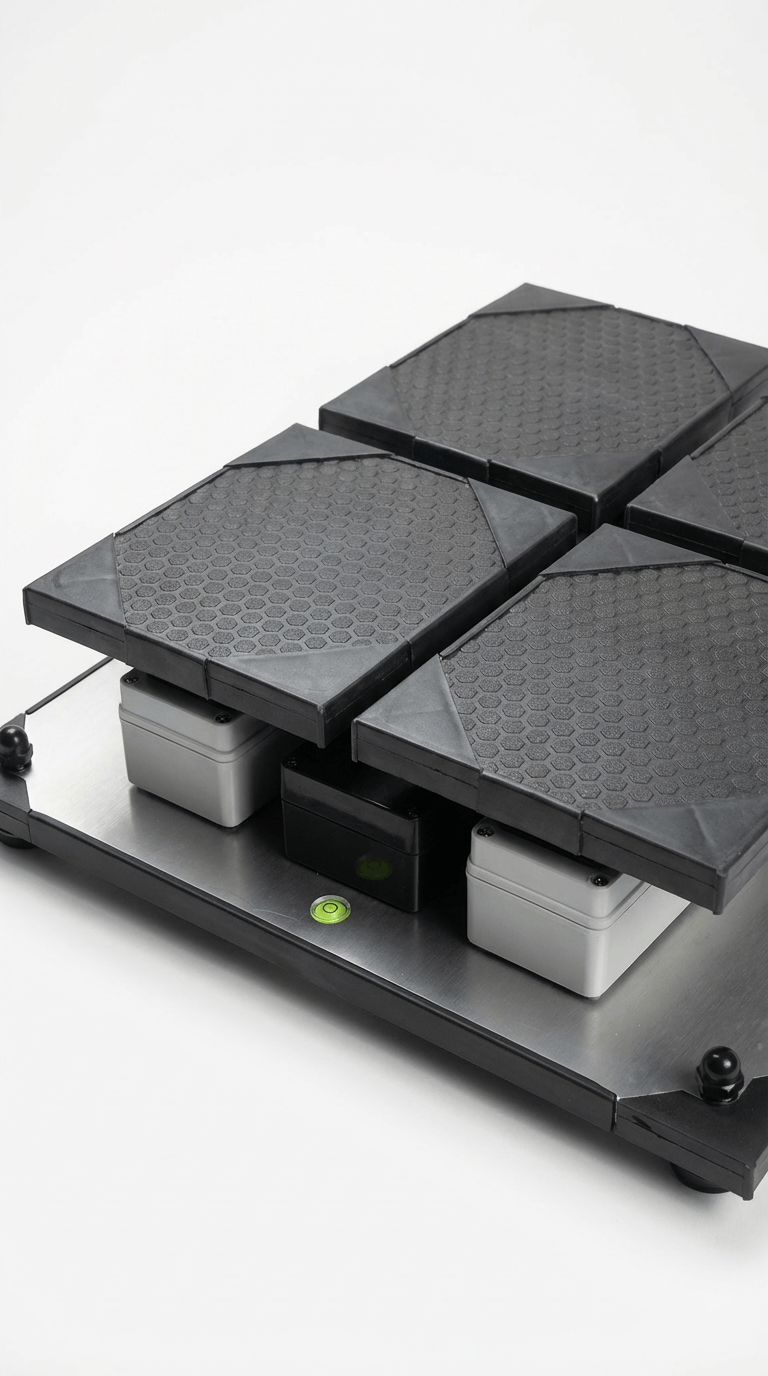
StabiliTrack Pro combines a robust four-load-cell standing platform, precision acquisition electronics, built-in Wi-Fi and browser-based software in a portable system for repeated rehabilitation assessment.
The same platform supports measurement, patient/session context, Rehabilitation Focus, clinician-authored notes, longitudinal review and reporting without requiring dedicated local software.
- Portable 4-load-cell platform
- Built-in wireless browser interface
- Works from tablet, laptop or phone
- Local operation without constant cloud dependency
- Session records, Rehabilitation Focus, clinical reasoning notes, guided feedback, baseline comparison and reports
- Calibration, protocol and device provenance context
Local-first records with optional cloud replication
Keep the rehabilitation record available locally, with cloud review when required
The core platform is designed to operate locally from the device. When clinic Wi-Fi and cloud sync are configured, patient, session, assessment, Rehabilitation Focus and related record data can be replicated for online review and supported export workflows.
This preserves a practical local workflow while allowing clinicians to review synced rehabilitation records remotely when connectivity is available.
Built-in Wi-Fi
Use any Wi-Fi-enabled device with a browser. No dedicated local software install is required.
Optional online replica
Review the synced clinical replica, including patient, session, assessment and Rehabilitation Focus context, when cloud sync is configured.
Offline audit trail
Local history, provenance, assessment context and clinician-authored reasoning support traceable longitudinal documentation.
Clinical fit
For rehabilitation teams that want objective evidence without losing clinical context
The platform is particularly suited to clinicians using repeated standing assessment to inform rehabilitation decisions, including neurological physiotherapy and lower-limb rehabilitation, while remaining useful across broader physiotherapy practice.
Neurological physiotherapy
Lower-limb rehabilitation
Musculoskeletal physiotherapy
Orthopaedic rehabilitation
Rehabilitation services
Explore the platform
See whether StabiliTrack Pro fits your rehabilitation workflow
Explore the demo to see how objective standing assessment, Rehabilitation Focus, clinical reasoning, longitudinal review and reporting work together in one platform.



Frequently Asked Questions
Considering StabiliTrack Pro for rehabilitation practice? These are common questions from physiotherapists and rehabilitation services.
StabiliTrack Pro is designed to support clinician-led rehabilitation assessment by combining objective standing measurements with within-person comparison, optional Rehabilitation Focus and Assessment Question context, clinician-authored reasoning, guided feedback, longitudinal review and reporting.
It supports clinical judgement but does not diagnose neurological, vestibular or balance disorders, provide normative classification, recommend treatment or decide whether change is clinically meaningful.
It gives the clinician a visual, within-person reference point. Patients can see how current measurements compare with their own previous comparable records while the clinician explains what that change means in the wider rehabilitation context.
The system can generate patient-friendly and practitioner reports from saved sessions. The clinical record can also retain Rehabilitation Focus, Assessment Question and clinician-authored reasoning where these have been used.
Yes. Practice mode can be used for demonstration, familiarisation and patient feedback without treating every interaction as a saved assessment result. Capture mode is used when the measurement should become part of the patient record.
Guided feedback exercises are clinician-guided visual activities for load-control practice during rehabilitation. They can support target control, centre return and controlled weight-transfer practice, while remaining a separate record type from formal assessment results and baselines.
No dedicated local software install is required. The device has built-in Wi-Fi and a browser-based interface, so it can be operated from a Wi-Fi-enabled tablet, laptop or phone.
Cloud sync can maintain an online replica of supported local clinical records for remote review and related workflows when clinic Wi-Fi and cloud sync are configured. The core device workflow remains local-first.
No. It supports clinician-led rehabilitation assessment, within-person monitoring and documentation. It does not diagnose neurological, vestibular or balance disorders, provide normative grading, prescribe treatment, determine falls risk or replace professional interpretation.
Yes. Clinics can start with a £300 upfront setup payment followed by £300 per month. The plan has a 6-month minimum term, a 30-day change-your-mind period, and the clinic owns the device after 12 monthly payments.
Next step
Speak to us about rehabilitation fit, pricing and workflow
If you are considering StabiliTrack Pro for neurological physiotherapy, lower-limb rehabilitation or wider physiotherapy practice, the next step is usually a demo or callback. We can talk through the assessment set, clinical reasoning workflow, reporting, setup and whether the platform fits your service.

Book a clinic demo
See how the assessment set, Rehabilitation Focus, clinical reasoning workflow and reporting fit into rehabilitation practice.

Contact us via WhatsApp
Start a conversation quickly by selecting the WhatsApp icon above.

Request a callback
Choose a suitable time and speak directly with a representative about pricing, setup and clinic fit.

0808 196 6996
Our UK freephone line is open from 9am - 6pm GMT Monday to Saturday.
Final step
Explore the rehabilitation platform or review clinic pricing
Open the demo to explore objective assessment, Rehabilitation Focus, clinical reasoning and longitudinal review using seeded rehabilitation records, or view pricing straight away. If needed, we can then discuss implementation, setup, support and whether the platform fits your clinical workflow.